CussDev built the Apps as an Ad Supported app. This SERVICE is provided by CussDev at no cost and is intended for use as is.
This page is used to inform visitors regarding my policies with the collection, use, and disclosure of Personal Information if anyone decided to use my Service.
If you choose to use my Service, then you agree to the collection and use of information in relation to this policy. The Personal Information that I collect is used for providing and improving the Service. I will not use or share your information with anyone except as described in this Privacy Policy.
The terms used in this Privacy Policy have the same meanings as in our Terms and Conditions, which is accessible at CussDev's Apps unless otherwise defined in this Privacy Policy.
Information Collection and Use
For a better experience, while using our Service, I may require you to provide us with certain personally identifiable information. The information that I request will be retained on your device and is not collected by me in any way.
The app does use third party services that may collect information used to identify you.
Log Data
I want to inform you that whenever you use my Service, in a case of an error in the app I collect data and information (through third party products) on your phone called Log Data. This Log Data may include information such as your device Internet Protocol (“IP”) address, device name, operating system version, the configuration of the app when utilizing my Service, the time and date of your use of the Service, and other statistics.
Service Providers
I may employ third-party companies and individuals due to the following reasons:
To facilitate our Service;
To provide the Service on our behalf;
To perform Service-related services; or
To assist us in analyzing how our Service is used.
I want to inform users of this Service that these third parties have access to your Personal Information. The reason is to perform the tasks assigned to them on our behalf. However, they are obligated not to disclose or use the information for any other purpose.
Security
I value your trust in providing us your Personal Information, thus we are striving to use commercially acceptable means of protecting it. But remember that no method of transmission over the internet, or method of electronic storage is 100% secure and reliable, and I cannot guarantee its absolute security.
Links to Other Sites
This Service may contain links to other sites. If you click on a third-party link, you will be directed to that site. Note that these external sites are not operated by me. Therefore, I strongly advise you to review the Privacy Policy of these websites. I have no control over and assume no responsibility for the content, privacy policies, or practices of any third-party sites or services.
Children’s Privacy
These Services do not address anyone under the age of 13. I do not knowingly collect personally identifiable information from children under 13. In the case I discover that a child under 13 has provided me with personal information, I immediately delete this from our servers. If you are a parent or guardian and you are aware that your child has provided us with personal information, please contact me so that I will be able to do necessary actions.
Changes to This Privacy Policy
I may update our Privacy Policy from time to time. Thus, you are advised to review this page periodically for any changes. I will notify you of any changes by posting the new Privacy Policy on this page. These changes are effective immediately after they are posted on this page.
Contact Us
If you have any questions or suggestions about my Privacy Policy, do not hesitate to contact me.
2018年9月26日 星期三

2018年1月11日 星期四
[遊戲] "暗棋王"的翻棋策略
Android 版本
iOS 版本
暗棋是一個深受台灣人喜愛的象棋遊戲,
除了實力外,運氣的好壞也會影響到輸贏,
暗棋的手遊不少,最受人攻擊的點就是有沒有作弊之類的,
以下就"暗棋王"APP開發過程中所考量的翻棋策略做小小的探討,
當然,也期待更多的高手先進多多指教,
讓"暗棋王"的程式演算法更加進步。
以下範例以電腦是紅棋,對手(玩家)是黑棋來講解...
1. "兵"旁邊翻棋
"兵"是所有棋子最弱的,幾乎所有棋子可以吃它,所以在它旁邊翻棋其實是很危險的,有極有的機會害它被對方吃掉,
然而,它也是最強的,因為只有它可以吃"將",
有些玩家會在"兵"旁邊直接翻棋,如果剛好翻到對方的"將",那就賺到了,如果沒翻到,大不了損失一隻"兵",影響不大,不過,已經死了幾隻"兵",這種策略就不適合,萬一"兵"全死光了,對方的"將"可能就會無敵
2. "帥"旁邊翻棋
"帥 "是棋子裡最強的,所以在它旁邊翻棋,有機會可以一路吃下去,
然而,常常事與願違,偏偏旁邊翻出的是一隻 "卒 ",這也是暗棋王常常被說作弊的主因, "帥 "旁邊是 "卒 "的機率太高了,
讓我們從數學機率來解釋好了,
如果 "帥 "是位於棋盤4個角,它旁邊會有2顆棋子, "卒 "有5顆,所以 "帥 "旁邊有 "卒 "的機率是2*(5/31),棋盤有4個角,所以總機率是2*(5/31)*(4/32),約0.040,也就是4%,
如果 "帥 "是位於棋盤邊上,它旁邊會有3顆棋子, "卒 "有5顆,所以 "帥 "旁邊有 "卒 "的機率是3*(5/31),棋盤邊上的位置有16個,所以總機率是3*(5/31)*(16/32),約0.242,也就是24.2%,
如果 "帥 "是位於棋盤中間,它旁邊會有4顆棋子, "卒 "有5顆,所以 "帥 "旁邊有 "卒 "的機率是4*(5/31),棋盤中間的位置有12個,所以總機率是4*(5/31)*(12/32),約0.242,也就是24.2%,
將以上所有可能加總0.040+0.242+0.242 = 0.524,也就是52.4%,
換句話說, "帥 "旁邊是 "卒 "是機率約5成左右,機率很高,所以不建議在 "帥 "旁邊直接翻棋,除非 "卒 "已經全死光了^^,
以上的機率是用概估的方式,如有錯誤,歡迎更正
3. "炮"隔子翻棋
"炮"不能直接吃任何隔壁棋子,但如果隔一棋子,它可以吃任何一顆棋,而且距離不限,如下圖:
 "炮"可以吃A,B,C三顆棋,紅方可以翻這三顆棋,如果是黑棋,下一輪就可以吃掉它們,
然而,如果翻出的剛好是"包","炮"反而會被吃掉,紅方不可一廂情願,
但如果如上圖中"炮"旁邊有一顆"俥",這時就可以肆無忌憚的翻ABC三顆棋,就算翻出"包",頂多同歸於盡
4. 防止被"包"吃
"包"隔子可吃任何棋,如果己方的棋要被"包"吃了,怎麼處理呢?
如果是如下圖的情形:

紅方可以翻ABC任何一顆棋,如果翻出"帥""仕""相""俥""傌"等棋子,就可以間接達到保護紅"仕"的作用,當然,如果黑方認為用"包"去換"仕"是值得的,那黑方還是會照吃。
如果是下圖的情形:

"包"往下走一步就可以吃紅"仕",紅方可以翻DEF三個位置的棋子,如果翻出"帥""仕""相""俥""傌"等棋子,就可以直接達到保護紅仕的作用,當然,紅方還是可以翻ABC位置的棋,如上段所提,可以間接保護紅"仕",選擇翻AC二處還有一個作用,如果是黑棋,比紅"仕"小的話,紅"仕"吃它就可以逃離"包"的威脅,翻到"將""士"也沒差,反正紅"仕"本來就快可了
5. "包"隔壁翻棋
"包"無法吃任何隔壁棋子,所以我們可以直接在"包"旁邊直接翻棋,反正翻出來的棋一定不會死,反之,如果翻出的棋可以吃掉"包",那就賺到了,因為"包"的威力很強
6. 保護性翻棋
如下圖左方,"仕"要被"將"吃了:

紅方可選擇翻ABC三個位置的棋,如果剛好翻到"兵",可達到間接保護"仕"的作用,因為"兵"有好幾顆,翻出機率大,有時可以做這樣的賭注,不過,還是有不小的可能會翻出其它紅棋,這樣便會讓"將"有連吃的機會。另外如果紅方"炮"還在,可選擇翻D處,這種翻法是最安全的,翻到"炮",可間接保護仕,翻到其它紅棋也不會被"將"吃掉,
如果是如上圖右方,"帥"要被"卒"吃了,紅方一樣可選擇翻GEF或H處的棋,不過,這種情形下間接保護的作用就不大了,因為不管翻到什麼棋,黑方一定會選擇了吃了"帥"再說,死一顆"卒"無所謂
iOS 版本
暗棋是一個深受台灣人喜愛的象棋遊戲,
除了實力外,運氣的好壞也會影響到輸贏,
暗棋的手遊不少,最受人攻擊的點就是有沒有作弊之類的,
以下就"暗棋王"APP開發過程中所考量的翻棋策略做小小的探討,
當然,也期待更多的高手先進多多指教,
讓"暗棋王"的程式演算法更加進步。
以下範例以電腦是紅棋,對手(玩家)是黑棋來講解...
1. "兵"旁邊翻棋
"兵"是所有棋子最弱的,幾乎所有棋子可以吃它,所以在它旁邊翻棋其實是很危險的,有極有的機會害它被對方吃掉,
然而,它也是最強的,因為只有它可以吃"將",
有些玩家會在"兵"旁邊直接翻棋,如果剛好翻到對方的"將",那就賺到了,如果沒翻到,大不了損失一隻"兵",影響不大,不過,已經死了幾隻"兵",這種策略就不適合,萬一"兵"全死光了,對方的"將"可能就會無敵
2. "帥"旁邊翻棋
"帥 "是棋子裡最強的,所以在它旁邊翻棋,有機會可以一路吃下去,
然而,常常事與願違,偏偏旁邊翻出的是一隻 "卒 ",這也是暗棋王常常被說作弊的主因, "帥 "旁邊是 "卒 "的機率太高了,
讓我們從數學機率來解釋好了,
如果 "帥 "是位於棋盤4個角,它旁邊會有2顆棋子, "卒 "有5顆,所以 "帥 "旁邊有 "卒 "的機率是2*(5/31),棋盤有4個角,所以總機率是2*(5/31)*(4/32),約0.040,也就是4%,
如果 "帥 "是位於棋盤邊上,它旁邊會有3顆棋子, "卒 "有5顆,所以 "帥 "旁邊有 "卒 "的機率是3*(5/31),棋盤邊上的位置有16個,所以總機率是3*(5/31)*(16/32),約0.242,也就是24.2%,
如果 "帥 "是位於棋盤中間,它旁邊會有4顆棋子, "卒 "有5顆,所以 "帥 "旁邊有 "卒 "的機率是4*(5/31),棋盤中間的位置有12個,所以總機率是4*(5/31)*(12/32),約0.242,也就是24.2%,
將以上所有可能加總0.040+0.242+0.242 = 0.524,也就是52.4%,
換句話說, "帥 "旁邊是 "卒 "是機率約5成左右,機率很高,所以不建議在 "帥 "旁邊直接翻棋,除非 "卒 "已經全死光了^^,
以上的機率是用概估的方式,如有錯誤,歡迎更正
3. "炮"隔子翻棋
"炮"不能直接吃任何隔壁棋子,但如果隔一棋子,它可以吃任何一顆棋,而且距離不限,如下圖:

然而,如果翻出的剛好是"包","炮"反而會被吃掉,紅方不可一廂情願,
但如果如上圖中"炮"旁邊有一顆"俥",這時就可以肆無忌憚的翻ABC三顆棋,就算翻出"包",頂多同歸於盡
4. 防止被"包"吃
"包"隔子可吃任何棋,如果己方的棋要被"包"吃了,怎麼處理呢?
如果是如下圖的情形:

紅方可以翻ABC任何一顆棋,如果翻出"帥""仕""相""俥""傌"等棋子,就可以間接達到保護紅"仕"的作用,當然,如果黑方認為用"包"去換"仕"是值得的,那黑方還是會照吃。
如果是下圖的情形:

"包"往下走一步就可以吃紅"仕",紅方可以翻DEF三個位置的棋子,如果翻出"帥""仕""相""俥""傌"等棋子,就可以直接達到保護紅仕的作用,當然,紅方還是可以翻ABC位置的棋,如上段所提,可以間接保護紅"仕",選擇翻AC二處還有一個作用,如果是黑棋,比紅"仕"小的話,紅"仕"吃它就可以逃離"包"的威脅,翻到"將""士"也沒差,反正紅"仕"本來就快可了
5. "包"隔壁翻棋
"包"無法吃任何隔壁棋子,所以我們可以直接在"包"旁邊直接翻棋,反正翻出來的棋一定不會死,反之,如果翻出的棋可以吃掉"包",那就賺到了,因為"包"的威力很強
6. 保護性翻棋
如下圖左方,"仕"要被"將"吃了:

如果是如上圖右方,"帥"要被"卒"吃了,紅方一樣可選擇翻GEF或H處的棋,不過,這種情形下間接保護的作用就不大了,因為不管翻到什麼棋,黑方一定會選擇了吃了"帥"再說,死一顆"卒"無所謂
2018年1月8日 星期一
[ 遊戲 ] 暗棋王 手遊APP
Android 版本
iOS 版本
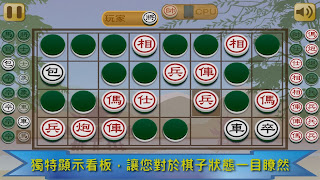
“暗棋”,或者有人稱為”半棋”或”半盤”,是一個很受歡迎的棋盤遊戲
它很簡單且好玩,只要幾分鐘就可以玩完一局。
如果您想獲得勝利,您同時需要運氣和策略。
不管大人或小孩,都可以輕鬆享受這個遊戲。
本軟體的特色如下:
◎ 內建人工智慧(AI),您可以享受個人與電腦對打的樂趣
◎ 可以選擇不同的難度
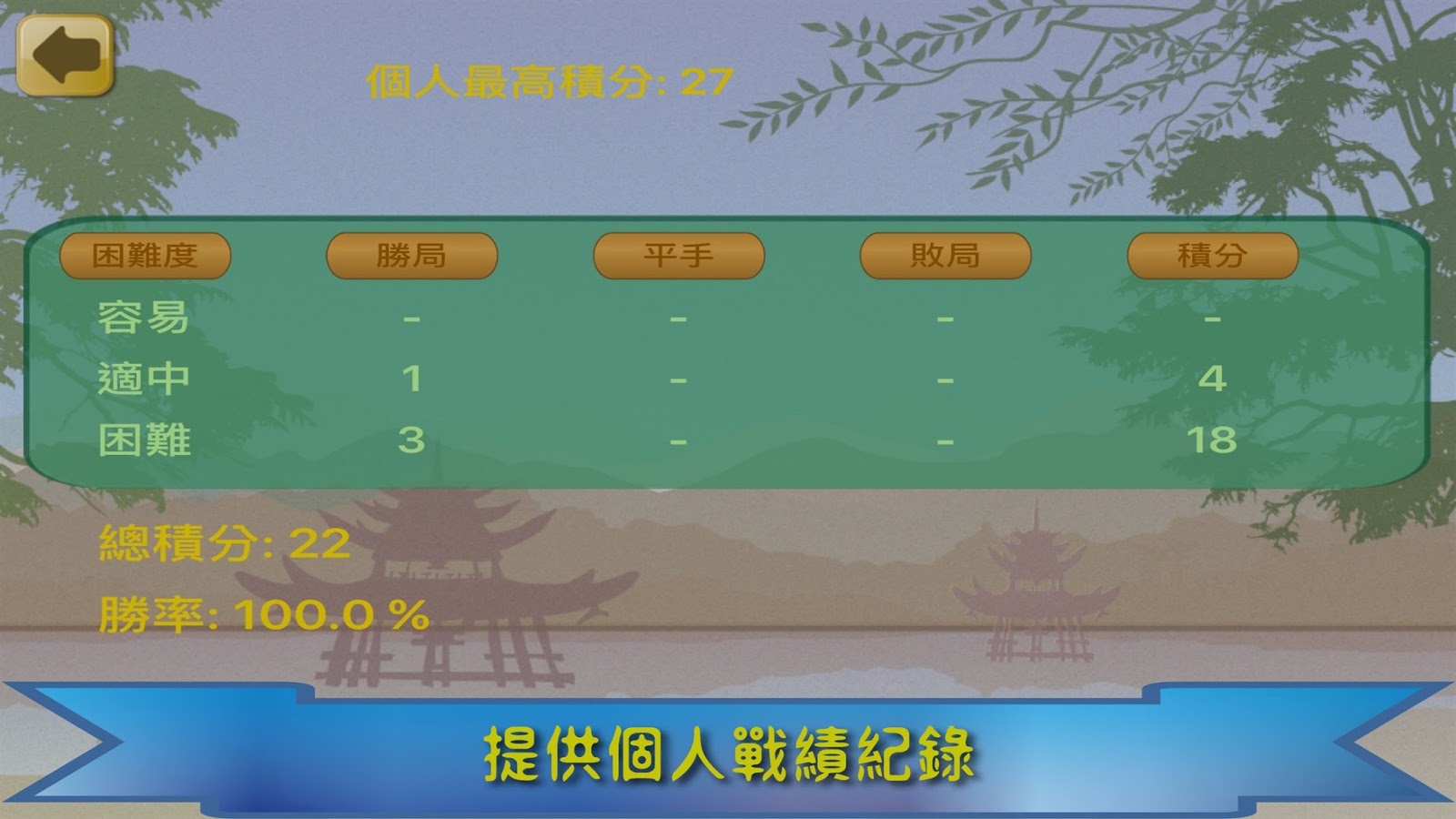
◎ 提供個人戰績的統計資料
◎ 支援單人模式(和電腦玩)和雙人模式
暗棋的翻棋策略常常會影響勝負,
何時該翻?要翻那裡?
翻棋的結果又有點靠運氣,
這些變化都是暗棋特殊的樂趣。
雖然程式已多方考量,但畢竟人工智慧還是沒有人類聰明,
如果有需要改善的地方,也歡迎多多指教!
期待您一同加入暗棋玩家的行列…



iOS 版本
“暗棋”,或者有人稱為”半棋”或”半盤”,是一個很受歡迎的棋盤遊戲
它很簡單且好玩,只要幾分鐘就可以玩完一局。
如果您想獲得勝利,您同時需要運氣和策略。
不管大人或小孩,都可以輕鬆享受這個遊戲。
本軟體的特色如下:
◎ 內建人工智慧(AI),您可以享受個人與電腦對打的樂趣
◎ 可以選擇不同的難度
◎ 提供個人戰績的統計資料
◎ 支援單人模式(和電腦玩)和雙人模式
暗棋的翻棋策略常常會影響勝負,
何時該翻?要翻那裡?
翻棋的結果又有點靠運氣,
這些變化都是暗棋特殊的樂趣。
雖然程式已多方考量,但畢竟人工智慧還是沒有人類聰明,
如果有需要改善的地方,也歡迎多多指教!
期待您一同加入暗棋玩家的行列…


2016年1月25日 星期一
[게임] 바둑 - 사활 문제 APP
Android 해제
iOS 해제
이 응용 프로그램은 사활 문제의 100 개 이상의 운동을 포함.
그들 모두는 무료입니다.
사활 문제는 이동 게임에 매우 중요하다.
게임을이기거나 할 수없는 경우 사실, 결정할 수있다.
모든 운동을 완료하기 위해 서둘러하지 마십시오.
당신이 다음 운동에 가기 전에 모든 가능성을 확인합니다.
이 응용 프로그램은 모든 운동을 몇 번 통과하는 경우는 경력이 속도를 증가하는 데 도움이 될 것입니다.
의 함께 진행을하자 ...


[ゲーム]囲碁 - 詰め碁演習APP
Androidのバージョン
iOSのバージョン
このアプリは、詰め碁の100以上の練習問題を含んでいます。
それらのすべてが無料です。
詰め碁演習はのため囲碁のゲームは非常に重要です。
実際に、それはあなたがゲームに勝つことができるかどうかを決定することができます。
すべての演習を完了するために急いでしないでください。
あなたは次の演習に進む前に、すべての可能性をご確認ください。
このアプリは、あなたがすべての演習を数回通過する場合は、勝率を高めるのに役立ちます。
ご一緒に進捗状況を取得してみましょう...
[ 游戏 ] 围棋 - 死活练习手游APP
Android 版本
iOS 版本
这个APP包括超过上百个死活练习题目,
所有题目都是免费就可以练习。
死活问题对于围棋来说很重要,
事实上,它可能会决定你是否能在下棋时获胜。
不要急着把所有练习一次做完,
在进到下一题之前,先把目前题目所有可能的变化都演练一次,
这对于提升你的棋力很有帮助。
让我们一起努力吧....
[ 遊戲 ] 圍棋 - 死活練習手遊APP
Android 版本
iOS 版本
這個APP包括超過上百個死活練習題目,
所有題目都是免費就可以練習。
死活問題對於圍棋來說很重要,
事實上,它可能會決定你是否能在下棋時獲勝。
不要急著把所有練習一次做完,
在進到下一題之前,先把目前題目所有可能的變化都演練一次,
這對於提升你的棋力很有幫助。
讓我們一起努力吧....
2015年11月17日 星期二
[Corona SDK] How to support multiple Ads networks - AdMob, iAds, Vungle
InHow to add advertisement in my APP - using AdMob V2, we learn how to add AdMob Ads.
For iAds and Vungle, we can use the similar way to add them.
We just consider how to support multiple networks here.
That it, we want to select AdMob, iAds or Vungle dynamically, no matter it is for Fill Rate, eCPM or any other reasons.
Add plugin
First, we need add plug-in in build.settings:
Init the Ads
The parameters in their callback functions are different.
In above codes, we change to next Ads network when we get error.
Change Ads Network
We set new Ads network by function ads:setCurrentProvider().
Show Ads
iAds cannot pre-load interstitial Ads,
The codes shown above are very completed.
You can just copy them directly and make it work.
For iAds and Vungle, we can use the similar way to add them.
We just consider how to support multiple networks here.
That it, we want to select AdMob, iAds or Vungle dynamically, no matter it is for Fill Rate, eCPM or any other reasons.
Add plugin
First, we need add plug-in in build.settings:
settings =
{
 plugins =
    {
       ["plugin.google.play.services"] =
        {
            publisherId = "com.coronalabs"
        },
        ["CoronaProvider.ads.iads"] =
        {
            publisherId = "com.coronalabs",
            supportedPlatforms = { iphone=true, ["iphone-sim"]=true },
        },
        ["CoronaProvider.ads.vungle"] =
        {
            publisherId = "com.vungle",
        },
    },
 android =
    {

        usesPermissions =
        {
            "android.permission.INTERNET",
            "android.permission.ACCESS_NETWORK_STATE",
        },
    },
}
Init the Ads
local adsProvider = {"adMob1","adMob2","vungle","iAds"}
local ads = require( "ads" )
local adMobAdProvider = "admob"
local iAdsAdProvider = "iads"
local vungleAdProvider = "vungle"
local vungleAppId = "55e4xxxxxx"
local bannerAppID = "ca-app-pub-xxxxxx"
local interstitialAppID = "ca-app-pub-xxxxxx"
local appID = "com.gmail.MyCompany.App"
if ( isAndroid ) then
    bannerAppID = "ca-app-pub-xxxxx"
    interstitialAppID = "ca-app-xxxxxx"
    vungleAppId = "com.gmail.My_Company.App"
end
local lastAdsTypeShown = "none"
local currentAds = 1

local function adMobListener( event )
    local msg = event.response
    -- Quick debug message regarding the response from the library
    print( "Message from the adMob library: ", msg )
 if (event.type == "banner") then
     if ( event.isError ) then
         changeToNextAds()
     else
     end
 elseif(event.type == "interstitial") then
        if ( event.isError ) then
            changeToNextAds()
        elseif ( event.phase == "loaded" ) then
        elseif ( event.phase == "shown" ) then
        end
 end
end

local function iAdsListener( event )
 local msg = event.response
 print("Message received from the iAds library: ", msg)
 if event.isError then
  changeToNextAds()
 else
 end
end

local function vungleListener( event )
   print("Message received from the vungleListener library: ", event.type)

   if ( event.type == "adStart" and event.isError ) then
     changeToNextAds()
   elseif ( event.type == "adEnd" ) then
      -- Ad was successfully shown and ended; hide the overlay so the app can resume.
   else
      print( "Received event", event.type )
   end
   return true
end

function adsInit()
 ads.init( adMobAdProvider, bannerAppID, adMobListener )
 if(isAndroid == false) then
   ads.init( iAdsAdProvider, appID, iAdsListener )
 end
 ads.init( vungleAdProvider, vungleAppId, vungleListener )
end
We have to call ads.init() for AdMob,iAds and Vungle separately.The parameters in their callback functions are different.
In above codes, we change to next Ads network when we get error.
Change Ads Network
We set new Ads network by function ads:setCurrentProvider().
local function changeToNextAds()
 currentAds = currentAds + 1
 if(currentAds > 3) then
  currentAds = 1
 end
 if(adsProvider[currentAds] == "iAds") then
  ads:setCurrentProvider(iAdsAdProvider)
 elseif(adsProvider[currentAds] == "vungle") then
  ads:setCurrentProvider(vungleAdProvider)
 else
  ads:setCurrentProvider(adMobAdProvider)
 end
end
Show Ads
function showAds(type,px,py)
 if(adsProvider[currentAds] == "adMob") then
  if(type == "banner") then
   ads.show( type, { x=px, y=py, appId=bannerAppID} )
   return true
  elseif(type == "interstitial") then
   if(ads.isLoaded(type))then
    ads.show( type, { x=px, y=py, appId=interstitialAppID } )
    return true
   else
    return false
   end
  end
 elseif(adsProvider[currentAds] == "vungle") then
  if (type == "interstitial" and ads.isAdAvailable() ) then
      ads.show( "interstitial" )
      return true
  else
   return false
  end
 elseif(adsProvider[currentAds] == "iAds") then
  ads.show( type, { x=px, y=py} )
  return true
 end
 return false
end

function loadAds()
 if(adsProvider[currentAds] == "adMob") then
  ads.load( "interstitial", { appId=interstitialAppID} )
 end
end
Vungle does not have Banner Ads and it will pre-load interstitial Ads itself.iAds cannot pre-load interstitial Ads,
The codes shown above are very completed.
You can just copy them directly and make it work.
[Corona SDK] 如何支援多個廣告系統 - AdMob, iAds, Vungle
在如何加入廣告 - AdMob V2裡,
我們知道要如何加入AdMob Ads,
要加入iAds和Vungle的話,作法很類似,
在這裡我們討論如果要同時支援的話該如何處理,
也就是說,我們可以動態選擇 AdMob, iAds, Vungle,
不管是因為Fill Rate, eCPM或者其它原因...
Add plugin
首先,我們需要在build.settings加入plug-in:
Init the Ads
因為callback回傳的參數不同,所以各自傳入不同callback function,
上面的程式裡,我們在callback function裡發現有錯誤時就換下一個Ads,
至於changeToNextAds()是什麼,看下一段
Change Ads Network
Show Ads
iAds無法pre-load interstitial Ads,
上面的說明應該很完整,
基本上只要照抄就可以了
我們知道要如何加入AdMob Ads,
要加入iAds和Vungle的話,作法很類似,
在這裡我們討論如果要同時支援的話該如何處理,
也就是說,我們可以動態選擇 AdMob, iAds, Vungle,
不管是因為Fill Rate, eCPM或者其它原因...
Add plugin
首先,我們需要在build.settings加入plug-in:
settings =
{
 plugins =
    {
       ["plugin.google.play.services"] =
        {
            publisherId = "com.coronalabs"
        },
        ["CoronaProvider.ads.iads"] =
        {
            publisherId = "com.coronalabs",
            supportedPlatforms = { iphone=true, ["iphone-sim"]=true },
        },
        ["CoronaProvider.ads.vungle"] =
        {
            publisherId = "com.vungle",
        },
    },
 android =
    {

        usesPermissions =
        {
            "android.permission.INTERNET",
            "android.permission.ACCESS_NETWORK_STATE",
        },
    },
}
另外,Android需要增加網路存取的權限Init the Ads
local adsProvider = {"adMob1","adMob2","vungle","iAds"}
local ads = require( "ads" )
local adMobAdProvider = "admob"
local iAdsAdProvider = "iads"
local vungleAdProvider = "vungle"
local vungleAppId = "55e4xxxxxx"
local bannerAppID = "ca-app-pub-xxxxxx"
local interstitialAppID = "ca-app-pub-xxxxxx"
local appID = "com.gmail.MyCompany.App"
if ( isAndroid ) then
    bannerAppID = "ca-app-pub-xxxxx"
    interstitialAppID = "ca-app-xxxxxx"
    vungleAppId = "com.gmail.My_Company.App"
end
local lastAdsTypeShown = "none"
local currentAds = 1

local function adMobListener( event )
    local msg = event.response
    -- Quick debug message regarding the response from the library
    print( "Message from the adMob library: ", msg )
 if (event.type == "banner") then
     if ( event.isError ) then
         changeToNextAds()
     else
     end
 elseif(event.type == "interstitial") then
        if ( event.isError ) then
            changeToNextAds()
        elseif ( event.phase == "loaded" ) then
        elseif ( event.phase == "shown" ) then
        end
 end
end

local function iAdsListener( event )
 local msg = event.response
 print("Message received from the iAds library: ", msg)
 if event.isError then
  changeToNextAds()
 else
 end
end

local function vungleListener( event )
   print("Message received from the vungleListener library: ", event.type)

   if ( event.type == "adStart" and event.isError ) then
     changeToNextAds()
   elseif ( event.type == "adEnd" ) then
      -- Ad was successfully shown and ended; hide the overlay so the app can resume.
   else
      print( "Received event", event.type )
   end
   return true
end

function adsInit()
 ads.init( adMobAdProvider, bannerAppID, adMobListener )
 if(isAndroid == false) then
   ads.init( iAdsAdProvider, appID, iAdsListener )
 end
 ads.init( vungleAdProvider, vungleAppId, vungleListener )
end
我們需要針對AdMob,iAds和Vungle各自呼叫ads.init(),因為callback回傳的參數不同,所以各自傳入不同callback function,
上面的程式裡,我們在callback function裡發現有錯誤時就換下一個Ads,
至於changeToNextAds()是什麼,看下一段
Change Ads Network
local function changeToNextAds()
 currentAds = currentAds + 1
 if(currentAds > 3) then
  currentAds = 1
 end
 if(adsProvider[currentAds] == "iAds") then
  ads:setCurrentProvider(iAdsAdProvider)
 elseif(adsProvider[currentAds] == "vungle") then
  ads:setCurrentProvider(vungleAdProvider)
 else
  ads:setCurrentProvider(adMobAdProvider)
 end
end
我們透過呼叫ads:setCurrentProvider()來設定新的Ads Network,
Show Ads
function showAds(type,px,py)
 if(adsProvider[currentAds] == "adMob") then
  if(type == "banner") then
   ads.show( type, { x=px, y=py, appId=bannerAppID} )
   return true
  elseif(type == "interstitial") then
   if(ads.isLoaded(type))then
    ads.show( type, { x=px, y=py, appId=interstitialAppID } )
    return true
   else
    return false
   end
  end
 elseif(adsProvider[currentAds] == "vungle") then
  if (type == "interstitial" and ads.isAdAvailable() ) then
      ads.show( "interstitial" )
      return true
  else
   return false
  end
 elseif(adsProvider[currentAds] == "iAds") then
  ads.show( type, { x=px, y=py} )
  return true
 end
 return false
end

function loadAds()
 if(adsProvider[currentAds] == "adMob") then
  ads.load( "interstitial", { appId=interstitialAppID} )
 end
end
Vungle沒有Banner Ads, 它自己會pre-load interstitial Ads,iAds無法pre-load interstitial Ads,
上面的說明應該很完整,
基本上只要照抄就可以了
2015年11月16日 星期一
[Corona SDK] How to add Apple Game Center and Android Google Play Game Service
For Apple Game Center or Android Google Play Game Service,
we just need to utilize the function of gameNetwork.
It is not difficulty to implement them.
To consider Apple and Google at the same time,
let's check the codes first and see how them work:
In general, we can call gameNetworkSetup() in main.lua,
For Android, we need to check if we have logged in successfully in gpgsInitCallback().
For iOS, we need to check if we have logged in successfully in gameNetworkLoginCallback().
The code gameNetwork.request( "loadLocalPlayer", { listener=loadLocalPlayerCallback } ) is to confirm the user who logs in.
You can go without it.
The code gameNetwork.request( "loadAchievements", { listener=loadAchievementCallback } ) is to recover the users's records.
For example, users may have ever installed this APP, remove this APP, and re-install it again.
If you think that you don't need to recover the records for them, you can go with it.
Show leaderboard
To show the leaderboard, we just need to call function showLeaderboards().
In general, we do it when user press some button
Show achievement
To show the leaderboard, we just need to call function showAchievements().
In general, we do it when user press some button.
Update leaderboard
To update leaderboard, we just need to call function updateLeaderBoards().
In general, wwe do it when user finish the game.
Update achievements
To update leaderboard, we just need to call function updateAchievement().
In general, wwe do it when user finish some round.
Below are what differ between Apple Game Center and Android Google Play Game Service:
googlePlayGamesAppId is what you get when you link the APP in play store publish game center.
we just need to utilize the function of gameNetwork.
It is not difficulty to implement them.
To consider Apple and Google at the same time,
let's check the codes first and see how them work:
local gameNetwork = require( "gameNetwork" )
local playerName
local playerId

local leaderboardsListId=
{
 ["HighestScore"]=
 {
  ["Description"] = "Highest Score",
  ["Identifier"] = "com.gmail.mycom.demo.Leaderboards.HighestScore"
 }
}

local achievementsListId =
{
 ["FinishLevel1"]=
 {
  ["Description"] = "Finish Level 1",
  ["Identifier"] = "com.gmail.mycom.demo.Achievements.FinishLevel1"
 },
 ["FinishLevel2"]=
 {
  ["Description"] = "Finish Level 2",
  ["Identifier"] = "com.gmail.mycom.demo.Achievements.FinishLevel2"
 }
}

if(isAndroid) then
 leaderboardsListId=
 {
  ["HighestScore"]=
  {
   ["Description"] = "Highest Score",
   ["Identifier"] = "Cgkxxxxxxxx"
  }
 }

 achievementsListId =
 {
  ["FinishLevel1"]=
  {
   ["Description"] = "Finish Level 1",
   ["Identifier"] = "Cgkxxxxxxx"
  },
  ["FinishLevel2"]=
  {
   ["Description"] = "Finish Level 2",
   ["Identifier"] = "Cgkxxxxxxxx"
  }
 }
end


function showLeaderboards( event )
 print("showLeaderboards()")
 if (playerId ~= nil) then
    if ( isAndroid ) then
       gameNetwork.show( "leaderboards" )
    else
       gameNetwork.show( "leaderboards", { leaderboard = {timeScope="AllTime"} } )
    end
 else
  gameNetworkSetup()
 end
    return true
end

local function postScoreSubmit( event )
   --whatever code you need following a score submission...
   return true
end

local function updateLeaderBoards(type, myScore)
 if (playerId == nil) then
  return
 end

 gameNetwork.request( "setHighScore",
 {
    localPlayerScore = { category=leaderboardsListId[type]["Identifier"], value=tonumber(myScore) },
    listener = postScoreSubmit
 } )
 print("gameNetwork.request( setHighScore) finished")
end

function showAchievements( event )
 print("showAchievements()")
 if (playerId ~= nil) then
    gameNetwork.show( "achievements" )
 else
  gameNetworkSetup()
 end
    return
end

local function achievementRequestCallback( event )

   return true
end

local function updateAchievement(type)
 if (playerId == nil) then
  return
 end
 gameNetwork.request( "unlockAchievement",
 {
    achievement = { identifier=achievementsListId[type]["Identifier"], percentComplete=100, showsCompletionBanner=true },
    listener = achievementRequestCallback
 } )
end

local function loadScoresCallback( event )
 if(event.data == nil) then
  print("event.data is nil")
  return
 end
 for i=1,25 do
  if(event.data[i] == nil) then
   break
  end
  print("event.data[",i,"].playerID:",event.data[i].playerID)
  print("event.data[",i,"].category:",event.data[i].category)
  if(event.data[i].playerID == playerId) then
   print("matched playID...........")
   break
  end
 end
end

local function loadLocalPlayerCallback( event )
 if(event.data == nil) then
  print("event.data is nil")
  return
 end

 playerId = event.data.playerID
 playerName = event.data.alias
 print("loadLocalPlayerCallback(),playerName:",playerName,",playerId:",playerId)
 if(playerId == nil) then
  return
 end
 myGameSettings.gameCerterHasEverLoggedIn = true
 saveData()

 gameNetwork.request( "loadScores",
            {
                leaderboard =
                {
                    category = leaderboardsListId["HighestScore"]["Identifier"],
                    playerScope = "Global",   -- Global, FriendsOnly
                    timeScope = "AllTime",    -- AllTime, Week, Today
                    --range = {1,5},
                    playerCentered = true,
                },
                listener = loadScoresCallback
            })
end

local function loadAchievementCallback( event )
 if(event.data == nil) then
  print("event.data is nil")
  return
 end

 for i=1,#event.data do
  if(event.data[i] ~= nil) then
   print("event.data[",i,"].identifier:",event.data[i].identifier)
   print("event.data[",i,"].title:",event.data[i].title)
   print("event.data[",i,"].isCompleted:",event.data[i].isCompleted)
  end
 end
end

local function gameNetworkLoginCallback( event )
 if(isAndroid==false) then
  if(event.data) then
   print("User has logged into iOS Game Center")
  else
   print("User has NOT logged into iOS Game Center")
   return
  end
 end
 gameNetwork.request( "loadLocalPlayer", { listener=loadLocalPlayerCallback } )
 gameNetwork.request( "loadAchievements", { listener=loadAchievementCallback } )
 return true
end

local function gpgsInitCallback( event )
 if(event.data) then
  print("User has logged into Google App Play Center")
     gameNetwork.request( "login", { userInitiated=true, listener=gameNetworkLoginCallback } )
 else
  print("User has NOT logged into Google App Play Center")
 end
end

function gameNetworkSetup()
 if ( isAndroid ) then
  myGameSettings.gameCerterHasEverLoggedIn = false
  gameNetwork.init( "google", gpgsInitCallback )
 else
  gameNetwork.init( "gamecenter", gameNetworkLoginCallback )
 end
end
}
InitIn general, we can call gameNetworkSetup() in main.lua,
For Android, we need to check if we have logged in successfully in gpgsInitCallback().
For iOS, we need to check if we have logged in successfully in gameNetworkLoginCallback().
The code gameNetwork.request( "loadLocalPlayer", { listener=loadLocalPlayerCallback } ) is to confirm the user who logs in.
You can go without it.
The code gameNetwork.request( "loadAchievements", { listener=loadAchievementCallback } ) is to recover the users's records.
For example, users may have ever installed this APP, remove this APP, and re-install it again.
If you think that you don't need to recover the records for them, you can go with it.
Show leaderboard
To show the leaderboard, we just need to call function showLeaderboards().
In general, we do it when user press some button
Show achievement
To show the leaderboard, we just need to call function showAchievements().
In general, we do it when user press some button.
Update leaderboard
To update leaderboard, we just need to call function updateLeaderBoards().
In general, wwe do it when user finish the game.
Update achievements
To update leaderboard, we just need to call function updateAchievement().
In general, wwe do it when user finish some round.
Below are what differ between Apple Game Center and Android Google Play Game Service:
Apple Game Center
The data in leaderboardsListId{} and achievementsListId{}:
e.g. "com.gmail.mycom.demo.Leaderboards.HighestScore".
They are user defined, as long as they are not duplicated.
Google Play Game Service
e.g. "com.gmail.mycom.demo.Leaderboards.HighestScore".
They are user defined, as long as they are not duplicated.
Google Play Game Service
The data in leaderboardsListId{} and achievementsListId{}:
e.g. "Cgkxxxxxxxx".
They are defined by play store publish when you finished the setting in game center.
For Google Play Game Service, we also need to add the googlePlayGamesAppId in build.settings:
e.g. "Cgkxxxxxxxx".
They are defined by play store publish when you finished the setting in game center.
For Google Play Game Service, we also need to add the googlePlayGamesAppId in build.settings:
android =
    {
        usesPermissions =
        {
            "android.permission.INTERNET",
            "android.permission.ACCESS_NETWORK_STATE",
            "com.android.vending.BILLING",
        },
        googlePlayGamesAppId = "123456789012"
    },
usesPermissions are not concerned for game service,
googlePlayGamesAppId is what you get when you link the APP in play store publish game center.
[Corona SDK] 如何加入Apple Game Center 和 Android Google Play Game Service
不管是Apple的Game Center,還是Android的Google Play Game Service,
基本上都是利用gameNetwork的功能即可,
實作不難,考慮同時支援Apple和Google,
先將程式碼貼上再來講解:
一般來說,我們可以在main.lua裡呼叫gameNetworkSetup(),
對於Android系統,在gpgsInitCallback()裡可以確認是否登錄成功
對於iOS系統,在gameNetworkLoginCallback()裡可以確認是否登錄成功,
至於後面的gameNetwork.request( "loadLocalPlayer", { listener=loadLocalPlayerCallback } ),
是用來確認目前登錄遊戲中心的使用者,有沒有呼叫它都可以,
gameNetwork.request( "loadAchievements", { listener=loadAchievementCallback } )則是用來回復使用者的紀錄, 例如使用曾經安裝過這個APP,移除它後又重新下載, 如果不想幫使用者回復紀錄,不執行也可以
顯示排行榜(leaderboard)
想要顯示排行榜,只要呼叫showLeaderboards()即可, 通常這個動作是在使用者按下某個按鈕時
顯示任務(achievement)
想要顯示排行榜,只要呼叫showAchievements()即可, 通常這個動作是在使用者按下某個按鈕時
更新排行榜 想要更新排行榜,只要呼叫updateLeaderBoards()即可, 通常這個動作是在使用者完成遊戲時
更新任務 想要更新排行榜,只要呼叫updateAchievement()即可, 通常這個動作是在使用者完成某個關卡時
以下是Apple的Game Center,和Android的Google Play Game Service稍有不同的地方
googlePlayGamesAppId是在play store publish的遊戲中心連結應用程式後系統給的編碼
基本上都是利用gameNetwork的功能即可,
實作不難,考慮同時支援Apple和Google,
先將程式碼貼上再來講解:
local gameNetwork = require( "gameNetwork" )
local playerName
local playerId

local leaderboardsListId=
{
 ["HighestScore"]=
 {
  ["Description"] = "Highest Score",
  ["Identifier"] = "com.gmail.mycom.demo.Leaderboards.HighestScore"
 }
}

local achievementsListId =
{
 ["FinishLevel1"]=
 {
  ["Description"] = "Finish Level 1",
  ["Identifier"] = "com.gmail.mycom.demo.Achievements.FinishLevel1"
 },
 ["FinishLevel2"]=
 {
  ["Description"] = "Finish Level 2",
  ["Identifier"] = "com.gmail.mycom.demo.Achievements.FinishLevel2"
 }
}

if(isAndroid) then
 leaderboardsListId=
 {
  ["HighestScore"]=
  {
   ["Description"] = "Highest Score",
   ["Identifier"] = "Cgkxxxxxxxx"
  }
 }

 achievementsListId =
 {
  ["FinishLevel1"]=
  {
   ["Description"] = "Finish Level 1",
   ["Identifier"] = "Cgkxxxxxxx"
  },
  ["FinishLevel2"]=
  {
   ["Description"] = "Finish Level 2",
   ["Identifier"] = "Cgkxxxxxxxx"
  }
 }
end


function showLeaderboards( event )
 print("showLeaderboards()")
 if (playerId ~= nil) then
    if ( isAndroid ) then
       gameNetwork.show( "leaderboards" )
    else
       gameNetwork.show( "leaderboards", { leaderboard = {timeScope="AllTime"} } )
    end
 else
  gameNetworkSetup()
 end
    return true
end

local function postScoreSubmit( event )
   --whatever code you need following a score submission...
   return true
end

local function updateLeaderBoards(type, myScore)
 if (playerId == nil) then
  return
 end

 gameNetwork.request( "setHighScore",
 {
    localPlayerScore = { category=leaderboardsListId[type]["Identifier"], value=tonumber(myScore) },
    listener = postScoreSubmit
 } )
 print("gameNetwork.request( setHighScore) finished")
end

function showAchievements( event )
 print("showAchievements()")
 if (playerId ~= nil) then
    gameNetwork.show( "achievements" )
 else
  gameNetworkSetup()
 end
    return
end

local function achievementRequestCallback( event )

   return true
end

local function updateAchievement(type)
 if (playerId == nil) then
  return
 end
 gameNetwork.request( "unlockAchievement",
 {
    achievement = { identifier=achievementsListId[type]["Identifier"], percentComplete=100, showsCompletionBanner=true },
    listener = achievementRequestCallback
 } )
end

local function loadScoresCallback( event )
 if(event.data == nil) then
  print("event.data is nil")
  return
 end
 for i=1,25 do
  if(event.data[i] == nil) then
   break
  end
  print("event.data[",i,"].playerID:",event.data[i].playerID)
  print("event.data[",i,"].category:",event.data[i].category)
  if(event.data[i].playerID == playerId) then
   print("matched playID...........")
   break
  end
 end
end

local function loadLocalPlayerCallback( event )
 if(event.data == nil) then
  print("event.data is nil")
  return
 end

 playerId = event.data.playerID
 playerName = event.data.alias
 print("loadLocalPlayerCallback(),playerName:",playerName,",playerId:",playerId)
 if(playerId == nil) then
  return
 end
 myGameSettings.gameCerterHasEverLoggedIn = true
 saveData()

 gameNetwork.request( "loadScores",
            {
                leaderboard =
                {
                    category = leaderboardsListId["HighestScore"]["Identifier"],
                    playerScope = "Global",   -- Global, FriendsOnly
                    timeScope = "AllTime",    -- AllTime, Week, Today
                    --range = {1,5},
                    playerCentered = true,
                },
                listener = loadScoresCallback
            })
end

local function loadAchievementCallback( event )
 if(event.data == nil) then
  print("event.data is nil")
  return
 end

 for i=1,#event.data do
  if(event.data[i] ~= nil) then
   print("event.data[",i,"].identifier:",event.data[i].identifier)
   print("event.data[",i,"].title:",event.data[i].title)
   print("event.data[",i,"].isCompleted:",event.data[i].isCompleted)
  end
 end
end

local function gameNetworkLoginCallback( event )
 if(isAndroid==false) then
  if(event.data) then
   print("User has logged into iOS Game Center")
  else
   print("User has NOT logged into iOS Game Center")
   return
  end
 end
 gameNetwork.request( "loadLocalPlayer", { listener=loadLocalPlayerCallback } )
 gameNetwork.request( "loadAchievements", { listener=loadAchievementCallback } )
 return true
end

local function gpgsInitCallback( event )
 if(event.data) then
  print("User has logged into Google App Play Center")
     gameNetwork.request( "login", { userInitiated=true, listener=gameNetworkLoginCallback } )
 else
  print("User has NOT logged into Google App Play Center")
 end
end

function gameNetworkSetup()
 if ( isAndroid ) then
  myGameSettings.gameCerterHasEverLoggedIn = false
  gameNetwork.init( "google", gpgsInitCallback )
 else
  gameNetwork.init( "gamecenter", gameNetworkLoginCallback )
 end
end
}
初始化一般來說,我們可以在main.lua裡呼叫gameNetworkSetup(),
對於Android系統,在gpgsInitCallback()裡可以確認是否登錄成功
對於iOS系統,在gameNetworkLoginCallback()裡可以確認是否登錄成功,
至於後面的gameNetwork.request( "loadLocalPlayer", { listener=loadLocalPlayerCallback } ),
是用來確認目前登錄遊戲中心的使用者,有沒有呼叫它都可以,
gameNetwork.request( "loadAchievements", { listener=loadAchievementCallback } )則是用來回復使用者的紀錄, 例如使用曾經安裝過這個APP,移除它後又重新下載, 如果不想幫使用者回復紀錄,不執行也可以
顯示排行榜(leaderboard)
想要顯示排行榜,只要呼叫showLeaderboards()即可, 通常這個動作是在使用者按下某個按鈕時
顯示任務(achievement)
想要顯示排行榜,只要呼叫showAchievements()即可, 通常這個動作是在使用者按下某個按鈕時
更新排行榜 想要更新排行榜,只要呼叫updateLeaderBoards()即可, 通常這個動作是在使用者完成遊戲時
更新任務 想要更新排行榜,只要呼叫updateAchievement()即可, 通常這個動作是在使用者完成某個關卡時
以下是Apple的Game Center,和Android的Google Play Game Service稍有不同的地方
Apple Game Center
leaderboardsListId{}和achievementsListId{}裡的資料,
例如"com.gmail.mycom.demo.Leaderboards.HighestScore",
這是使用者自己決定的編碼,然後在iTunes Connect裡設定即可,
不重覆就行
Google Play Game Service
Google Play Game Service
leaderboardsListId{}和achievementsListId{}裡的資料,
例如"Cgkxxxxxxxx", 這是使用者在play store publish的遊戲中心設定後系統給的編碼, 另外,對於Google Play Game Service, 我們還需要在build.settings增加:
例如"Cgkxxxxxxxx", 這是使用者在play store publish的遊戲中心設定後系統給的編碼, 另外,對於Google Play Game Service, 我們還需要在build.settings增加:
android =
    {
        usesPermissions =
        {
            "android.permission.INTERNET",
            "android.permission.ACCESS_NETWORK_STATE",
            "com.android.vending.BILLING",
        },
        googlePlayGamesAppId = "123456789012"
    },
usesPermissions無所謂,
googlePlayGamesAppId是在play store publish的遊戲中心連結應用程式後系統給的編碼
[ 遊戲 ] 空戰 - 火力全開

https://www.facebook.com/Air-Fight-Infinite-Power-189988404668625/
你有無盡的火力來消滅敵人戰機。
小心接踵而來的敵機和巨量的子彈攻擊,
當你有危險時,不要遲疑,趕快發射炸彈來保護你自己。
如果你喜歡射擊遊戲,那你一定會喜歡這個APP。
[ Game ] Air Fight - Infinite Power

https://www.facebook.com/Air-Fight-Infinite-Power-189988404668625/
You have infinite power to clear the enemies.
Be careful of consecutive enemy fighters and massive bullets.
Don't hesitate to shoot the bomb when you are in danger.
If you like shooting game, you will love this app.
[ 遊戲 ] 桌上撞盤

https://www.facebook.com/Table-Discs-1477277249248292
這是一個有趣的新型態遊戲。
第一眼看起有點像撞球中的開侖,
但是它其實更為簡單且好玩。
你不需要有什麼開超的撞球技巧,
只要將白盤射出,讓它撞到紅盤即可。
當然,這中間一定會有許多的障礙來阻撓你...
[ Game ] Table Discs

https://www.facebook.com/Table-Discs-1477277249248292
This is an interesting game in new type.
It look like Carom at first sight.
However, it is easier and has more fun.
You don't need to have good skills for billiards game.
Just shoot the white disc and let it collide with red disc.
Of course, there will have some obstacles to interfere with your movement.
[ 遊戲 ] 推推樂

https://www.facebook.com/pages/Push-Discs/1632278527059052
想要運動您的手指嗎?
"推推樂"是一個簡單好玩但又充滿挑戰性的遊戲。
它支援Google遊戲中心。
快邀請您的朋友一同來挑戰它。
[ Game ] Push Discs

https://www.facebook.com/pages/Push-Discs/1632278527059052
Want to exercise your finger?
"Push Discs" is a simple but full of challenging game.
It supports Google Play Game Services.
Invite your friends to challenge it together.
[ 遊戲 ] 單字矩陣無限玩

https://www.facebook.com/Infinite-Word-Matrix-3-letters-874519139268720/
你認識很多3個字母的單字嗎?
這太簡單了吧?要拼出3個字的單字實在沒什麼難度,
不過,其實這會比你想像中的困難,
因為3個字的單字比你想像中的少,
再者,有些字又很相似,
例如 "ria","rib","rid","rif","rig","rim","rip"....
我們可能會認為 "rie", "rit"等等也都是有意義的單字,
但...其實不然。
這個APP不只是個好玩的拼字遊戲,也是一個幫助你練習和覆習拼字的工具。
[ Game ] Infinite Word Matrix
https://www.facebook.com/Infinite-Word-Matrix-3-letters-874519139268720/
How many words in 3 letters do you know?
You may think that it is easy to spell out the words in 3 letters.
However, the number of words in 3 letters is less than you expect.
Furthermore, many words are similar except for one letter difference.
For example, "ria","rib","rid","rif","rig","rim","rip"....
We may think that there should have words such as "rie", "rit".
But...you get the wrong answers.
This APP is not only a game for fun, it is also a tester, reminder for you to improve your spell skill.
[ 遊戲 ] 撲克陣列

https://www.facebook.com/Infinite-Poker-Matrix-1591171817815298
一個玩不停的撲克遊戲。
你只要點選任何5張牌即可。
牌面越大,你得到的金幣就會越多。
不過,當你在選擇牌時,你必須同時考慮下一次的5張牌應該是什麼。
這是一個完全免費的遊戲。
訂閱:
文章 (Atom)